| .github | ||
| data | ||
| protocols | ||
| static | ||
| tests | ||
| .dockerignore | ||
| .env.example | ||
| .gitignore | ||
| app.py | ||
| config.py | ||
| config.template.cfg | ||
| docker-compose.prod.yml | ||
| docker-compose.yml | ||
| Dockerfile | ||
| LICENSE | ||
| main.py | ||
| README.md | ||
| requirements.txt | ||
| terms.md | ||
| version.py | ||

OpenGSQ Master Server Search API




This is an application that provides an API for searching game servers. The application supports the following games: BeamMP, Factorio, Palworld, Scum and The Front.
Try now: https://master-server.opengsq.com
Usage
The application provides the following endpoints:
/beammp/search?host=<host>&port=<port>/factorio/search?host=<host>&port=<port>/palworld/search?host=<host>&port=<port>/scum/search?host=<host>&port=<port>/thefront/search?host=<host>&port=<port>
Replace <host> and <port> with the host and port of the game server you want to search.
Error Handling
The application will return a 400 error if the 'host' and 'port' parameters are not provided or if the 'port' parameter is not an integer. If no result is found, the application will return a 404 error.
License
This project is licensed under the MIT License.
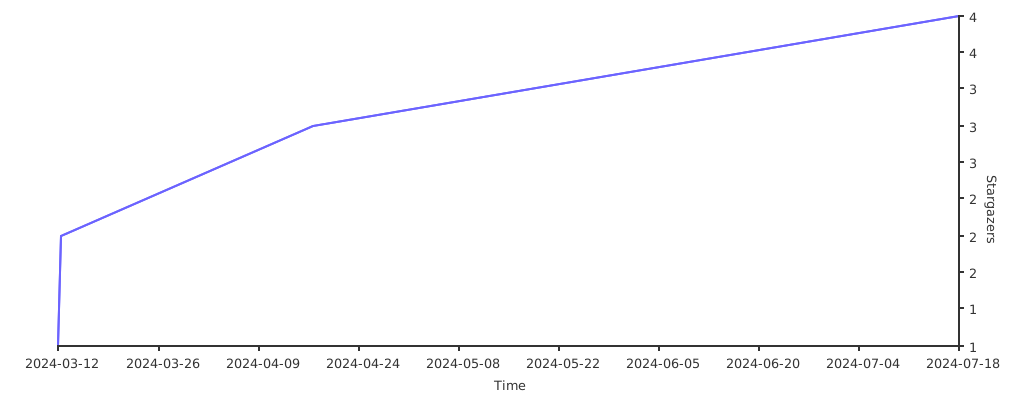
Stargazers over time
Development Setup
Follow these steps to set up your development environment:
- Create a virtual environment:
python -m venv venv - Activate the virtual environment:
- On Windows, run:
venv\Scripts\activate - On Unix or MacOS, run:
source venv/bin/activate
- On Windows, run:
- Install the required packages:
pip install -r requirements.txt
Configuration
Copy the .env.example file to a new file named .env and update the variables as needed:
cp .env.example .env
Here's what each variable in the .env file represents:
| Variable | Description | Default Value | Best Practice |
|---|---|---|---|
DATABASE_URL |
The URL of your MongoDB database. | None | This is required. Make sure to keep this value secure and do not share it publicly. |
PORT |
The port number on which the Flask application will run. | 8000 |
Choose a port that is not being used by other services. |
SECRET_KEY |
Flask application secret key. | None | This should be a random string. It is used for session management in Flask. Keep this value secure. |
USERNAME |
The username for Flask-MonitoringDashboard. | admin |
Change this to a unique username. |
PASSWORD |
The password for Flask-MonitoringDashboard. | admin |
Change this to a strong, unique password. |
SECURITY_TOKEN |
The security token for Flask-MonitoringDashboard. | cc83733cb0af8b884ff6577086b87909 |
This should be a random string. Keep this value secure. |
FACTORIO_USERNAME |
The username for Factorio. | None | Set this to your Factorio username. |
FACTORIO_TOKEN |
The token for Factorio. | None | This should be your Factorio token. Keep this value secure. |
Remember, it's important to keep all sensitive information such as DATABASE_URL, SECRET_KEY, PASSWORD, SECURITY_TOKEN, and FACTORIO_TOKEN secure and not to share them publicly or commit them to version control. It's a good practice to use environment variables or a secure method to store these values.
Running the Application (Development)
You can start the scheduled task or run the Flask application in debug mode:
- Start the scheduled task:
python main.py - Run Flask in debug mode:
python app.py - Run the protocol:
python -m protocol.BeamMP
Self-Hosting

You can use Docker Compose to self-host the application. Here's how:
-
Create a
docker-compose.ymlfile docker-compose.yml example -
Run the following command to start the application:
docker compose up -d